














Kowalski · BillingExample data
The work behind the balance
- Mowing visits
- 4 × $60
- Invoice total
- $240
- Payment recorded
- − $60
- Still owed
- $180
Invoice line items + recorded payment
Your customers, schedule, jobs, and billing—in one app.
Ask what you need to know. Say what needs doing.
Free during beta · No card · No sales call
The customer. The work. The little details.
Right there when you need them.
What else have we done for the Millers besides mowing?
A spring cleanup.
April 4. All finished.
Mark the job complete. GreenBrain creates the draft from the saved work.
Per-visit billing example · Draft, not sent.Even the work from months ago.
Ask GreenBrain instead of digging.
Ask about the money. Remember the work. Get a detail down.
Invoice line items + recorded payment
Saved job history · Based on records in GreenBrain
Your instruction → saved customer detail
 GreenBrainIllustrative conversation
Why does Kowalski still owe $180?
The invoice covers four $60 mowing visits. A $60 payment is recorded against it. That leaves $180 unpaid.
Ask about the number. Understand the work behind it.
What else have we done for the Millers besides mowing?
There’s a completed spring cleanup in the Millers’ saved job history. GreenBrain brings that work back into view, separate from the regular mowing visits.
The details you saved. Still useful months later.
Remember Miller prefers the back gate closed.
GreenBrain saves the preference to the Miller customer file, where it belongs. No hunting for the right field.
One less thing to keep in your head.
Customers, schedules, jobs and billing. A business app you can use every day—with GreenBrain right there when you need it.
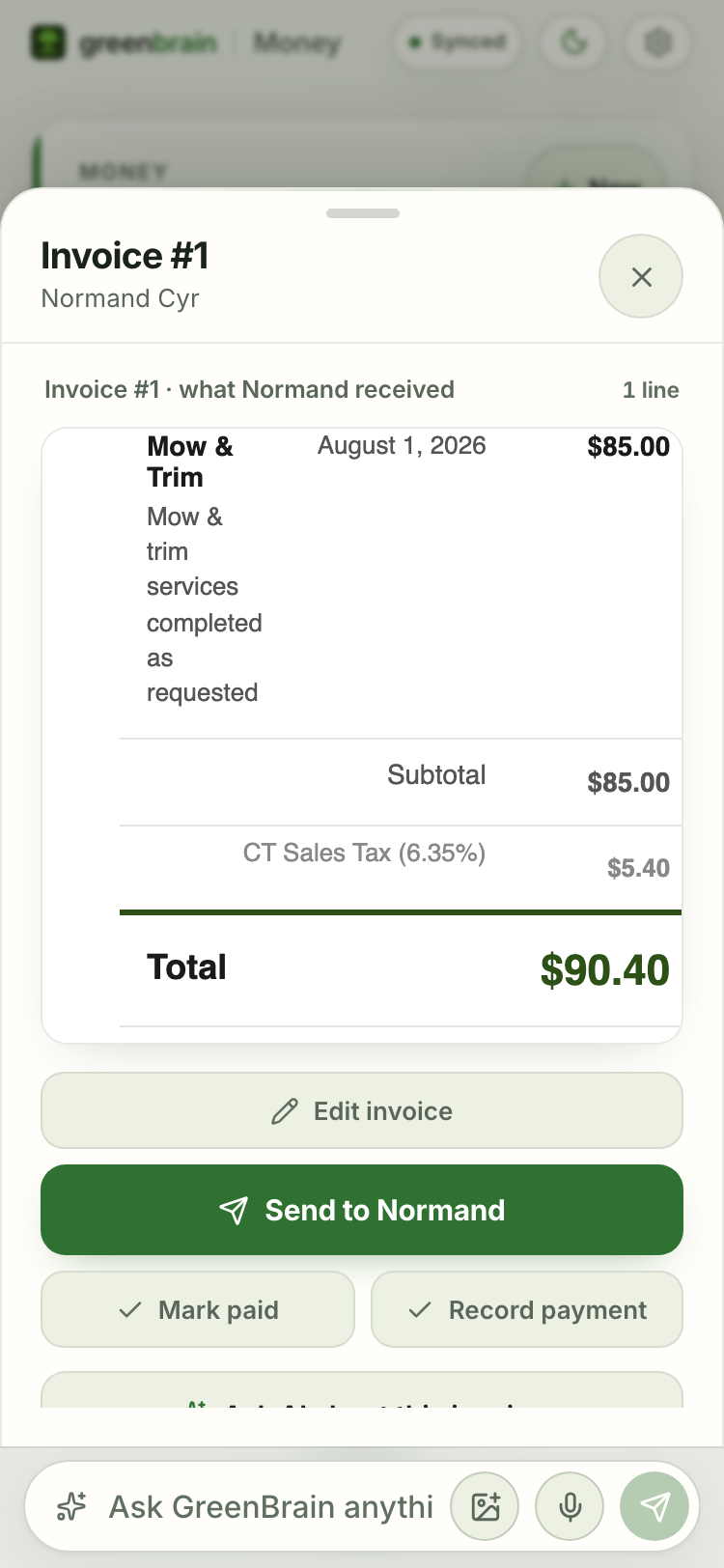
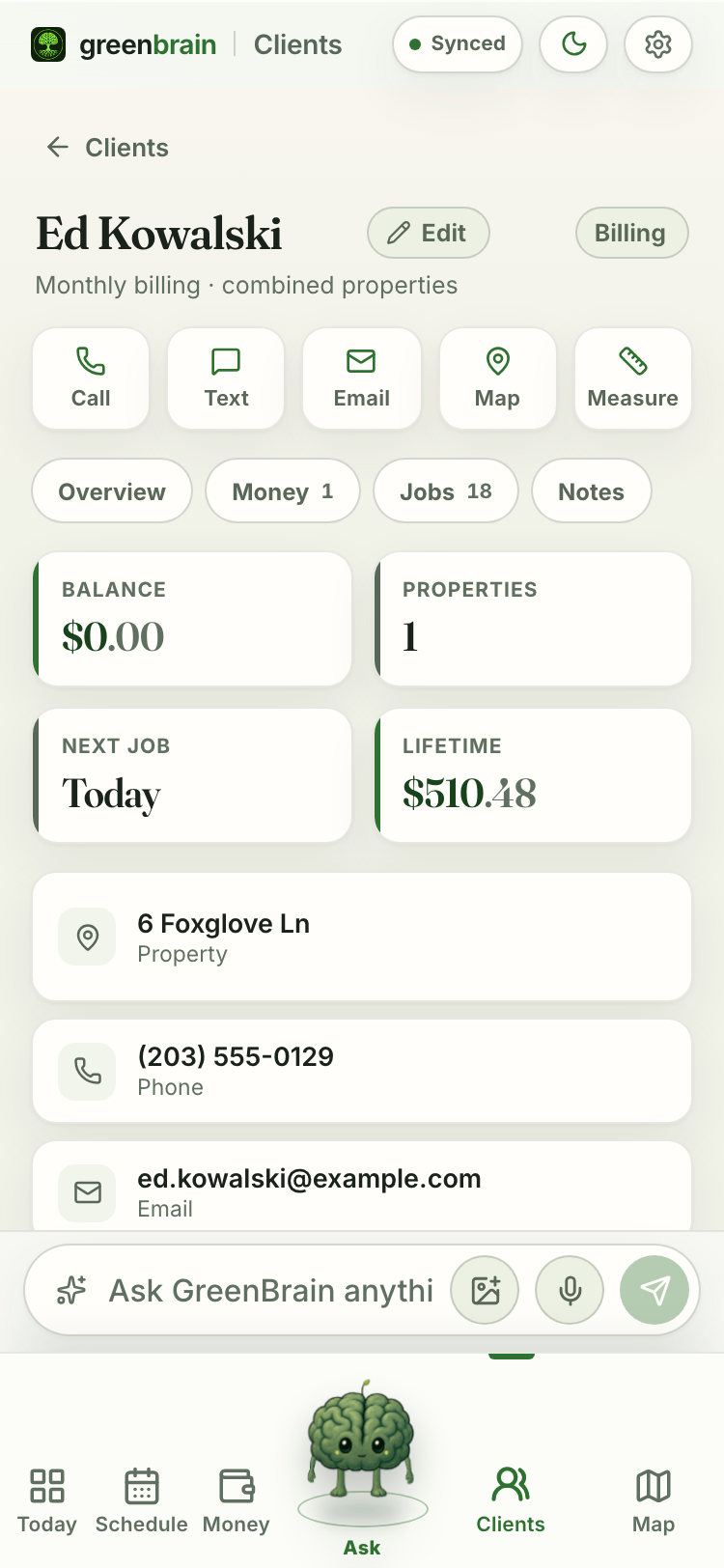
Real app screens from a demo workspace.
The examples above use separate illustrative data.
GreenBrain is built and used inside a working landscaping business. It comes from knowing the work—and wanting fewer things to carry around in your head.
Made for the work. And the person doing it.
Give instructions for everyday work. Review invoices, quotes, and one-time customer messages before they’re sent. Sensitive sends require confirmation and your send password; optional follow-ups run only after you enable them. GreenBrain never auto-charges a customer’s card.
An app for landscaping businesses that you can talk to. It brings together customers, properties, schedules, routes, job close-outs, invoices, quotes, payments, expenses, weather, and measurements.
Best first for owner-operators and small landscaping businesses managed by the owner. Self-serve crew invitations and payroll are not available yet.
No. Your customers, schedule, jobs and billing work without hardware. Automatic vehicle tracking is an optional, limited pilot that adds recorded routes, stops, mileage and dwell time. Background phone tracking is not available yet. Ask about the pilot ↗
GreenBrain is free during beta. Pricing comes later, with advance notice. We will not charge you unless you explicitly choose a paid plan.
Yes. Import clients from a CSV file, such as a client export from Jobber, QuickBooks, or Yardbook. Job and invoice migration is not self-serve today.
One-time customer-facing sends wait for your review, and sensitive sends require your send password. Optional follow-up schedules run only after you enable them. GreenBrain never auto-charges a customer's card.
Use GreenBrain in a modern browser on phone or desktop. A public App Store version is not available yet.
Each business workspace is isolated. Passwords and session tokens are hashed, data is protected in transit, and owners can delete workspace data in Settings. See the Privacy Policy for details.
Add a customer or import your list. Save a detail. Ask a question. Use GreenBrain for $0 during beta—with advance notice of future pricing, and no charge unless you choose a paid plan.

Your customers, jobs, schedule, and billing in your browser. No card required.
No sales call. Leave anytime.